File Deleter
The File Deleter process is managed through the File Deleter Settings application, which can be accessed via an icon on the desktop or from the Start menu.

Accessing File Deleter from Start Menu
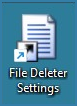
Accessing File Deleter from Desktop
The application is setup using the exe.config file.

exe.config File Location
The appSettings uses the following keys:
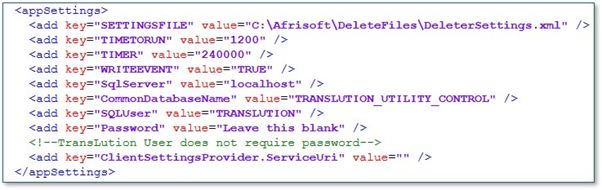
exe.config File
- SETTINGSFILE: The name and location of the settings file.
- TIMETORUN: The time of day that the service can run. It only runs once a day any time after this time.
- TIMER: The service runs on a timer in milliseconds. In this config it will run every four minutes.
- WRITEEVENT: Indicates whether information log events need to be written
- SqlServer: The name of the server where SQL is installed
- CommonDatabaseName: The name of the common database. These two are needed to get the identities of all the defined companies to update the versions installed table in the company database
- SQLUser: Defaults to TRANSLUTION
- Password: If the user remains TRANSLUION, the password is not needed.
The selected folder includes the file defined in the key:
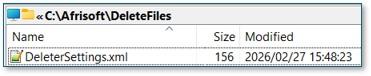
When the application is first opened the XML file does not exist. It will look like this:

Clicking on the line with an “*” opens a folder selection as follows:
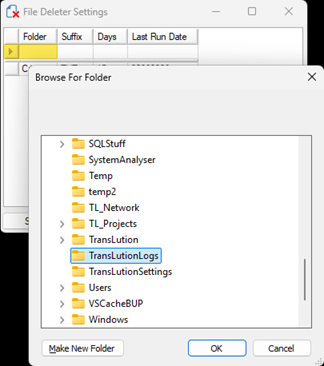
After selecting OK, the selected folder name is placed in the folder column:
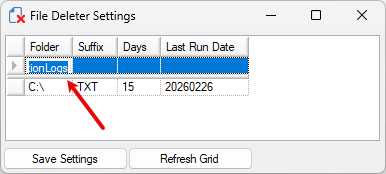
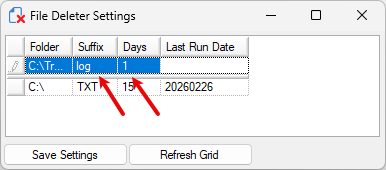
The file Suffix and Days to retain files in the selected folder must be entered:
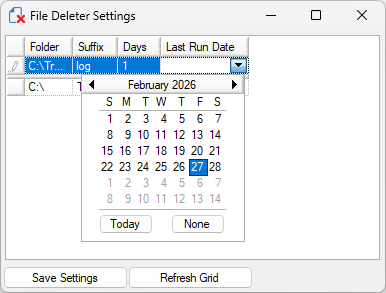
Although a “Last Run Date” is not required when a new row is added, it can be added as follows:
After adding a new row, the “Save Settings” button is used to create file in the folder defined in the appSettings key:

The service installs as follows:
